> ## Documentation Index
> Fetch the complete documentation index at: https://help.cuz-lab.tech/llms.txt
> Use this file to discover all available pages before exploring further.

# 注册

<Warning>
  如你所见，我们希望构建一个 **活跃** 的社区，所以您必须得在30天内发言至少一次，且**验证码不作数**，否则我们有权删除您的账户 & 移出群聊。
</Warning>

## 前置条件

1. 您在群内（1039716984）
2. 手
3. 脑子

## 实操

### Step.1:

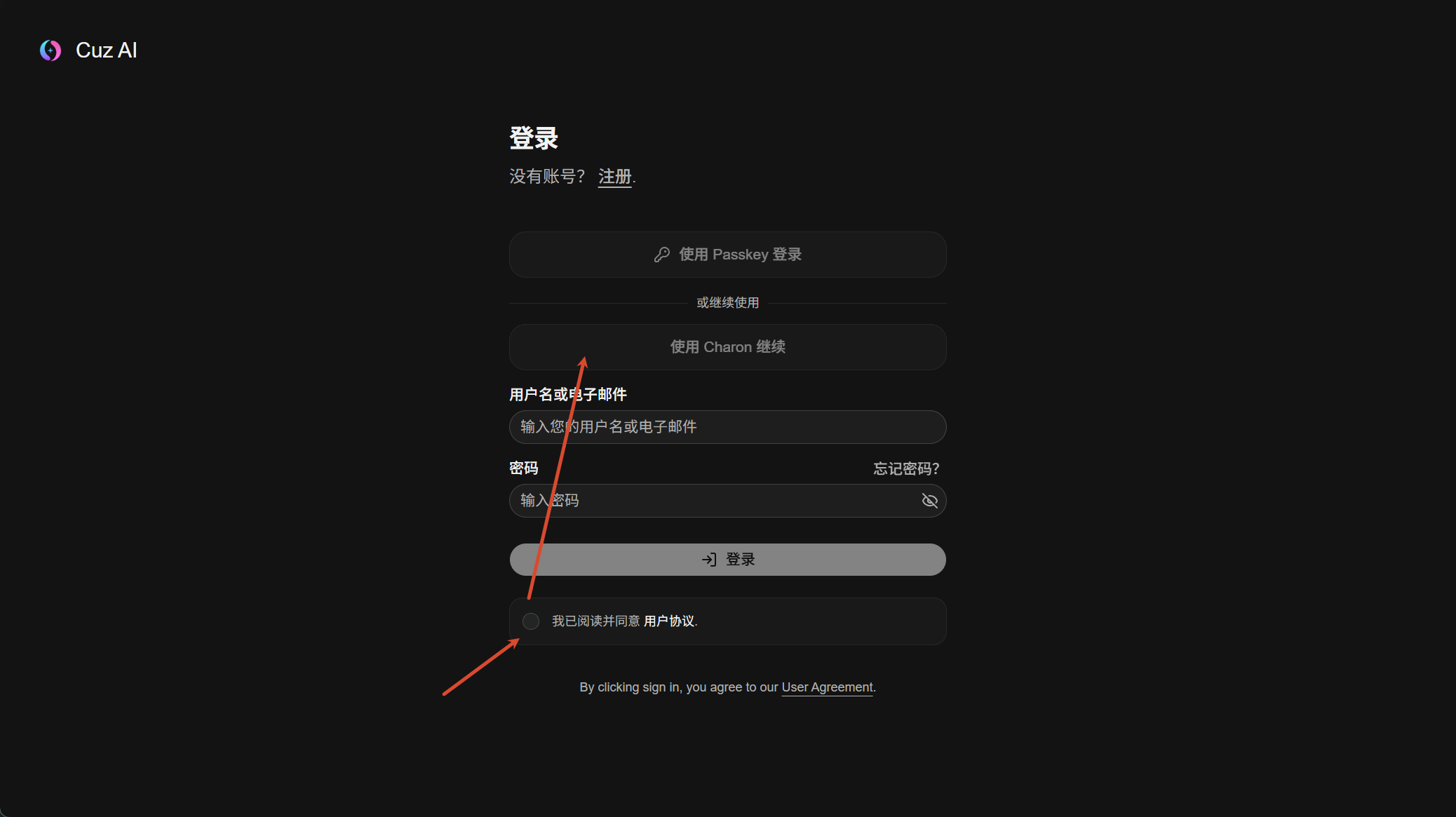
打开 [https://ai.cuz-lab.space/sign-in](https://ai.cuz-lab.space/sign-in) ，阅读  [服务条款](/cuz-ai/cuz-ai-tos) 并打勾，选择“使用Charon继续”

<Frame>
  <img src="https://mintcdn.com/cuz-98a28533/q9Q6rDR9zf6bPnuM/images/PixPin_2026-06-02_16-58-39.png?fit=max&auto=format&n=q9Q6rDR9zf6bPnuM&q=85&s=2356832bbc9747803c9922d35dfd0d3c" alt="Pix Pin 2026 06 02 16 58 39" width="2076" height="1165" data-path="images/PixPin_2026-06-02_16-58-39.png" />
</Frame>

### Step.2:

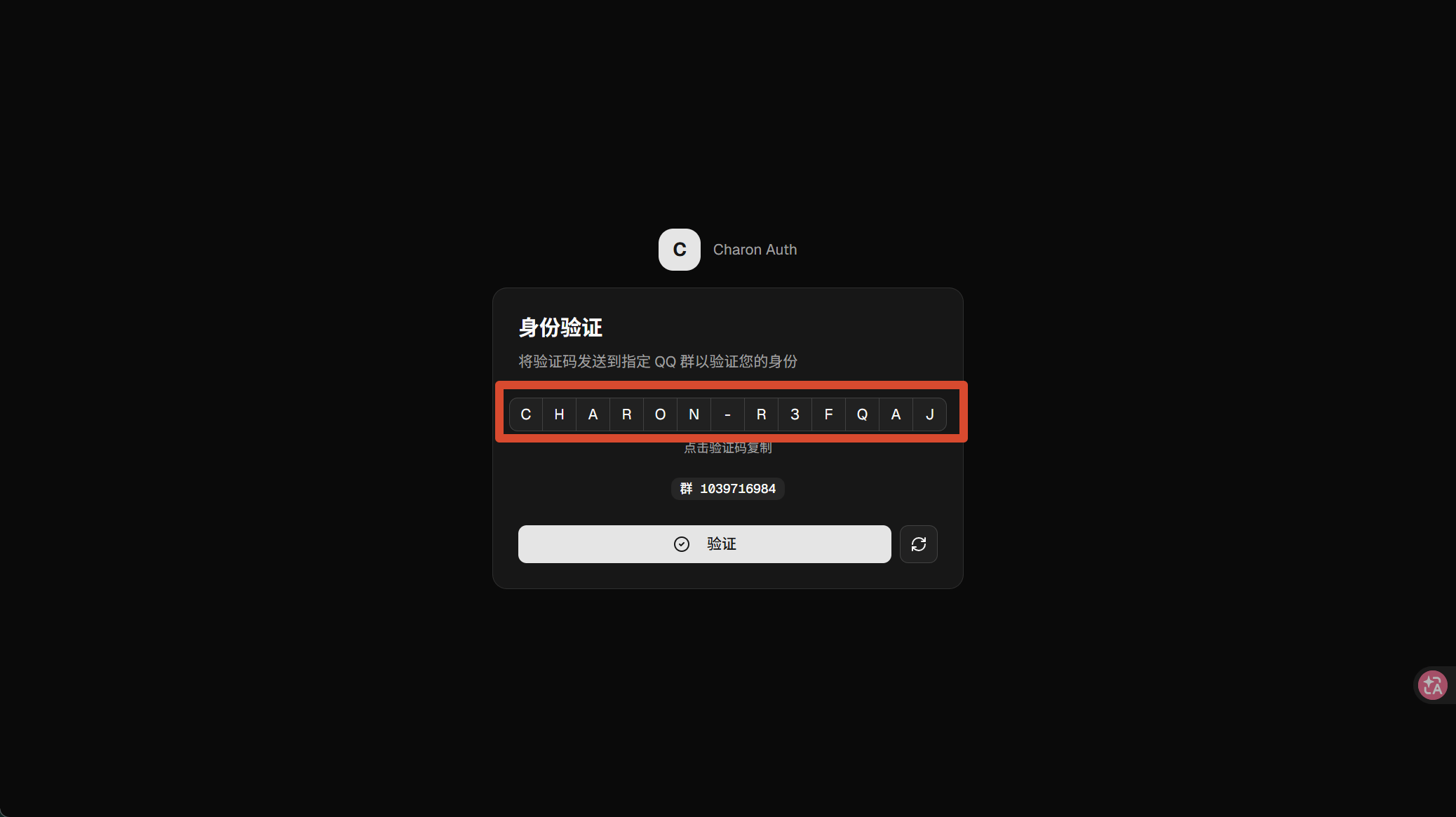
点击验证码，复制，发送到群里

<Frame>
  <img src="https://mintcdn.com/cuz-98a28533/q9Q6rDR9zf6bPnuM/images/PixPin_2026-06-02_17-01-13.png?fit=max&auto=format&n=q9Q6rDR9zf6bPnuM&q=85&s=f941d1c02d7a923c36e7399fa12efc39" alt="Pix Pin 2026 06 02 17 01 13" width="2076" height="1165" data-path="images/PixPin_2026-06-02_17-01-13.png" />
</Frame>

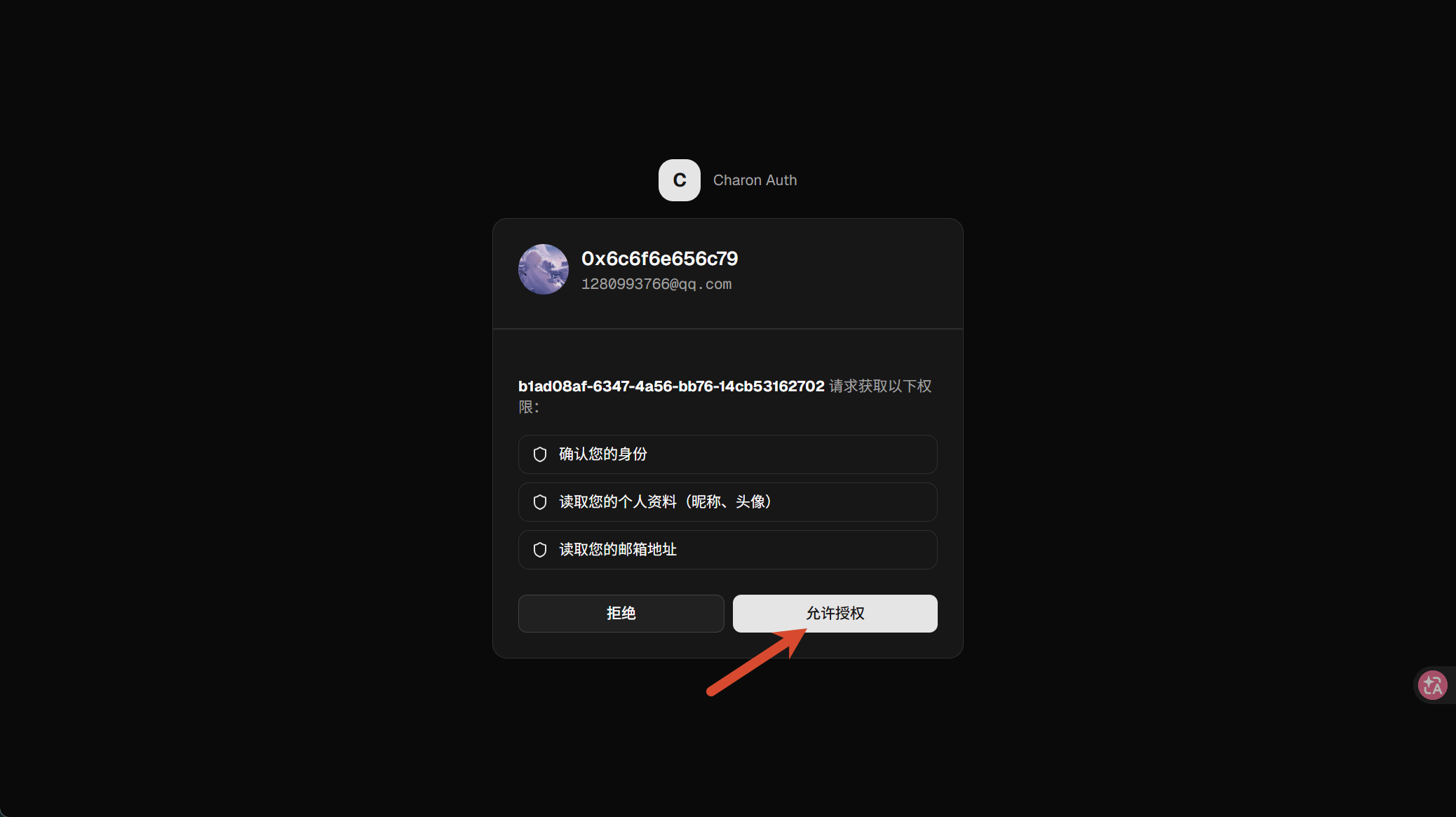
，然后点击“验证”：

<Frame>
  <img src="https://mintcdn.com/cuz-98a28533/q9Q6rDR9zf6bPnuM/images/PixPin_2026-06-02_17-02-04.png?fit=max&auto=format&n=q9Q6rDR9zf6bPnuM&q=85&s=00c4099d04bbe39f91932286eae87121" alt="Pix Pin 2026 06 02 17 02 04" width="2076" height="1165" data-path="images/PixPin_2026-06-02_17-02-04.png" />
</Frame>

并点击允许授权。

### Step.4: 订阅套餐

<Card title="我们认为您可能想知道的背景信息" type="note">
  Cuz AI默认将会给用户赠送 1usd，用于预扣费和套餐开通。
</Card>

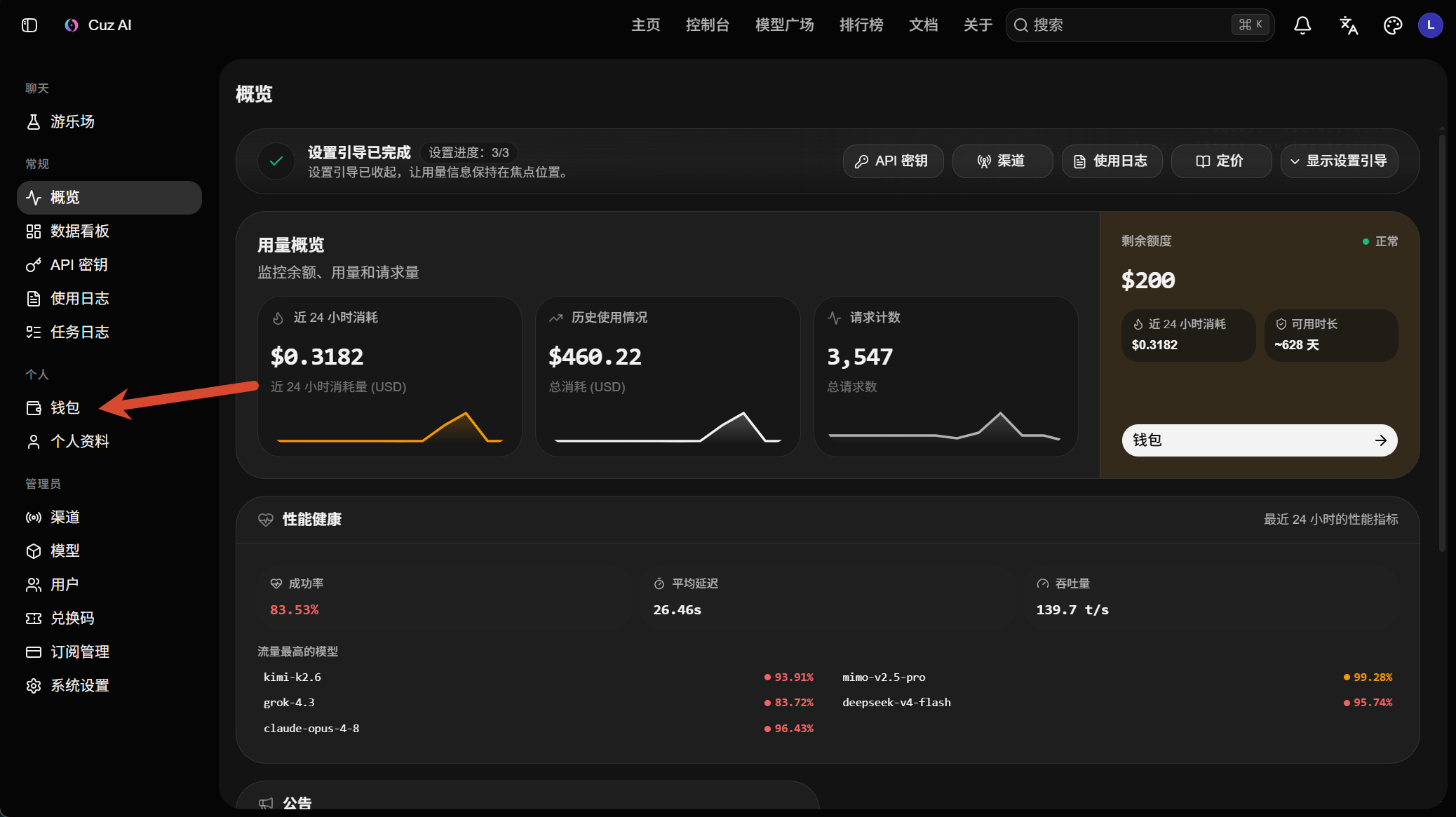
打开钱包

<Frame>
  <img src="https://mintcdn.com/cuz-98a28533/rG2DOmiotWSw8dmU/images/PixPin_2026-06-02_17-08-32.png?fit=max&auto=format&n=rG2DOmiotWSw8dmU&q=85&s=caeb41657d3ee4d6dc61c318cf1dc251" alt="Pix Pin 2026 06 02 17 08 32" width="2076" height="1165" data-path="images/PixPin_2026-06-02_17-08-32.png" />
</Frame>

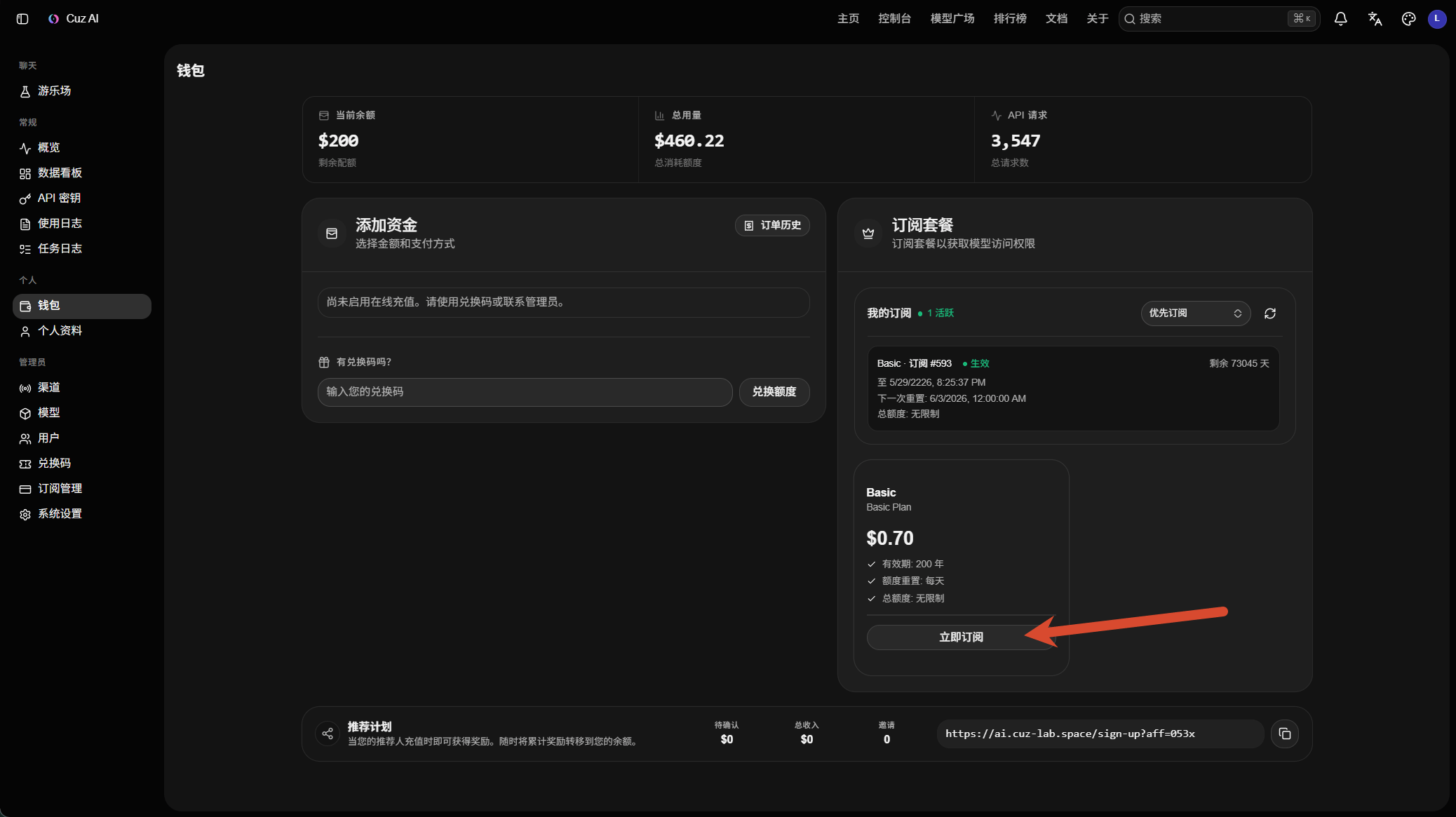
选择“订阅”>“立即订阅”

<Frame>
  <img src="https://mintcdn.com/cuz-98a28533/rG2DOmiotWSw8dmU/images/PixPin_2026-06-02_17-10-21.png?fit=max&auto=format&n=rG2DOmiotWSw8dmU&q=85&s=a6ec64423b2c37a1d5d47d57b0ab7ba3" alt="Pix Pin 2026 06 02 17 10 21" width="2076" height="1165" data-path="images/PixPin_2026-06-02_17-10-21.png" />
</Frame>

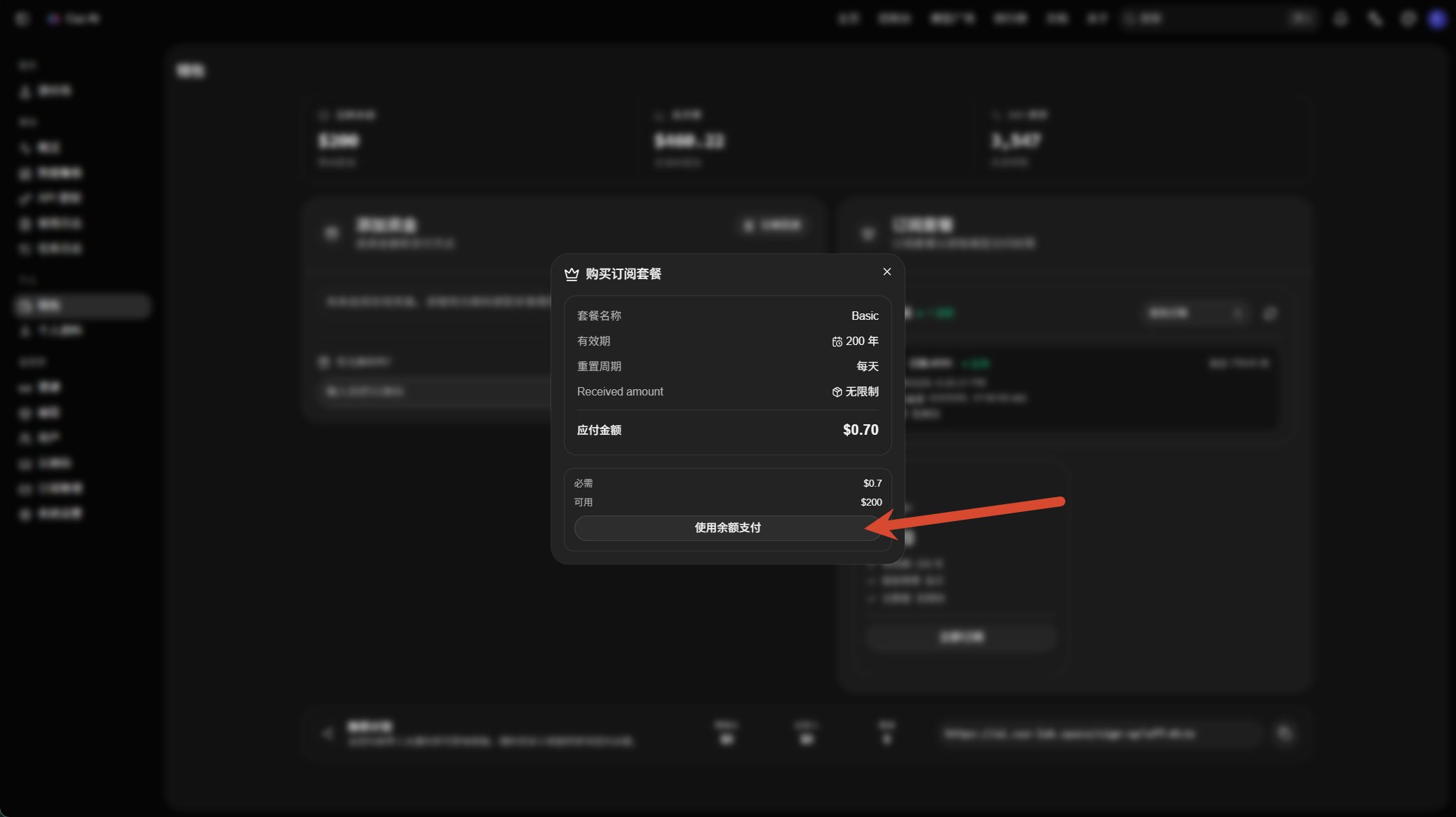
选择“使用余额支付”：

<Frame>
  <img src="https://mintcdn.com/cuz-98a28533/rG2DOmiotWSw8dmU/images/image.png?fit=max&auto=format&n=rG2DOmiotWSw8dmU&q=85&s=2c04468c5d1766ca2a0c29ab6c0077d8" alt="Image" width="2076" height="1165" data-path="images/image.png" />
</Frame>

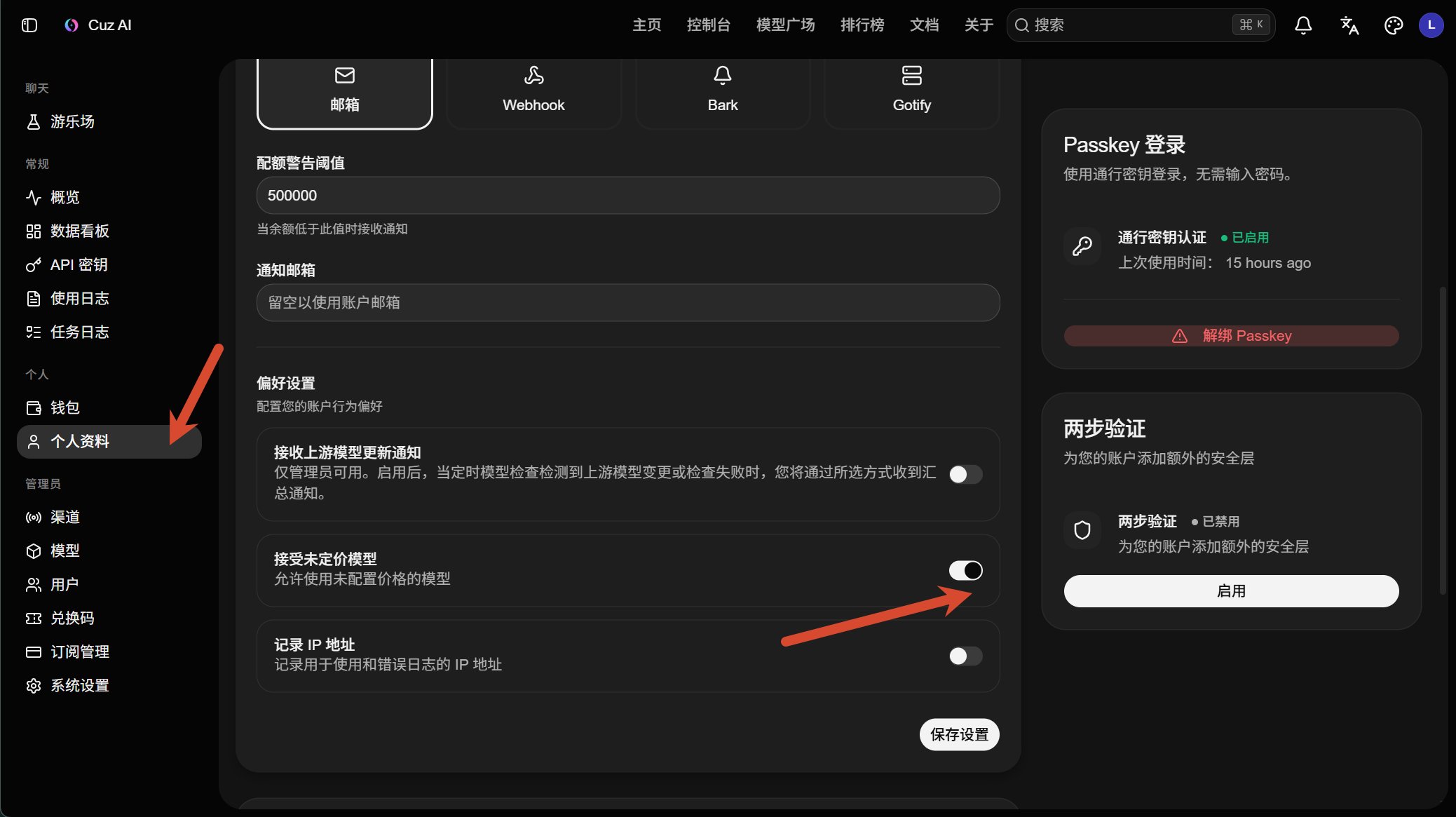
### Step.5 打开信任未设置价格的模型

<Frame>
  <img src="https://mintcdn.com/cuz-98a28533/LEbBLNb8bmib3CPn/images/image-1.png?fit=max&auto=format&n=LEbBLNb8bmib3CPn&q=85&s=4a24c61622c8c9f100b3e7ab43e5de93" alt="Image" width="2077" height="1165" data-path="images/image-1.png" />
</Frame>

### 完成！

> 恭喜你，完成了注册！接下来您可以在 [密钥管理](https://ai.cuz-lab.space/keys) 创建您的密钥了